
Blog
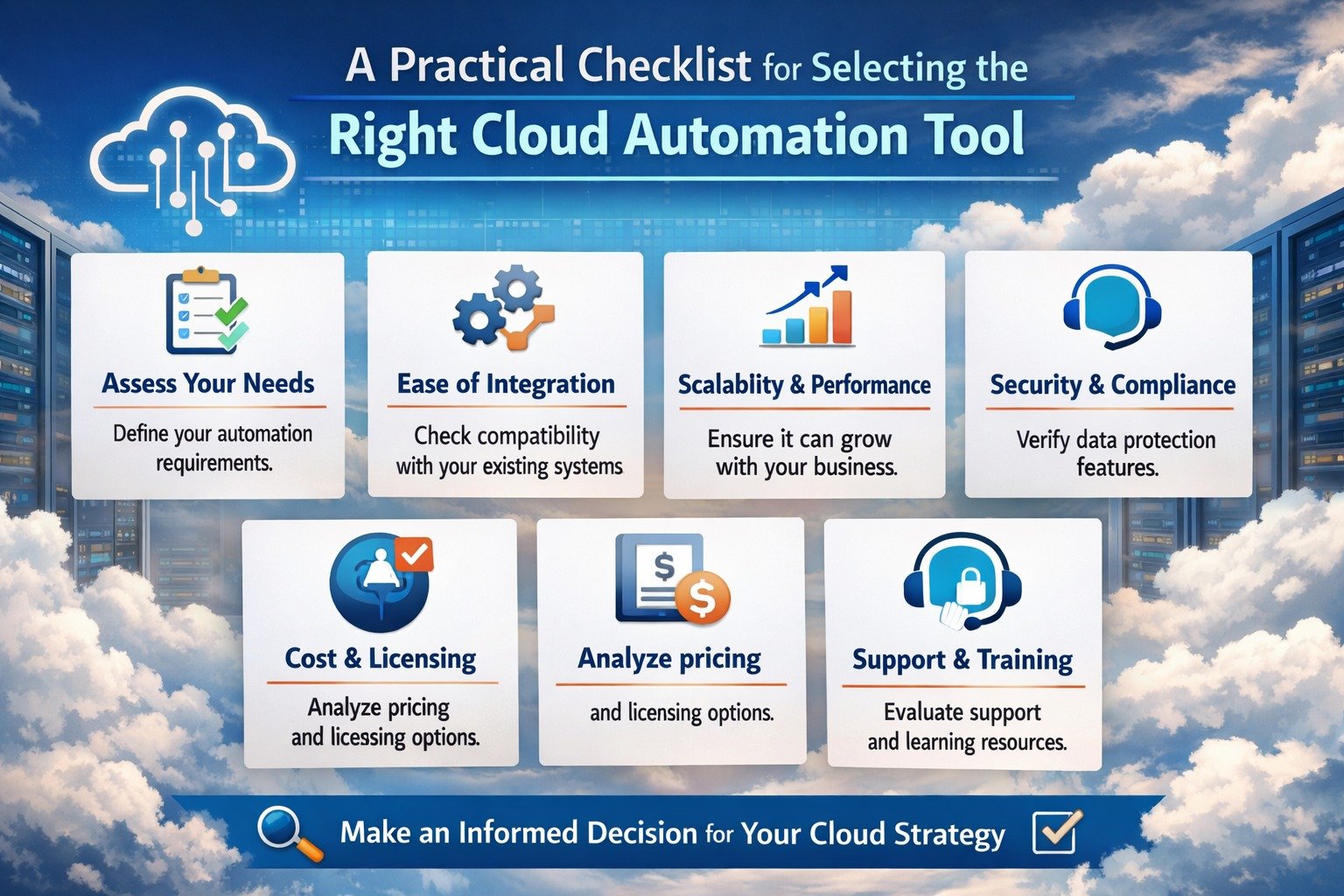
A Practical Checklist for Selecting the Right Cloud Automation Tool

Introduction
In the tech world, simply “moving to the cloud” isn’t enough.
As cloud environments grow with more workloads, more services, and more moving parts, managing them manually quickly becomes messy, inefficient, and risky.
That’s why savvy teams are turning to automation. But with dozens (or even hundreds) of cloud automation tools on the market, how do you pick the one that fits your needs?
That’s where a solid cloud automation tool checklist comes in.
Let’s walk through a practical, step-by-step decision framework, a checklist you can use to compare tools, vet features, and end up with a winner rather than a headache.
Let’s dive in.
The Cloud Landscape Today, Why Automation Matters
Rapid Growth of Cloud Use
Cloud adoption has gone universal.
As of 2025, over 94% of enterprises use some form of cloud services. Public cloud workloads now account for a majority: about 58% of enterprise workloads are hosted on public clouds.
With this level of adoption, it’s no surprise that cloud environments today are vastly more complex — and far beyond what many traditional manual processes were built to handle.
Rising Complexity- Scaling, Security, Cost, Compliance
As enterprises expand their cloud footprint, mixing public, private, hybrid, and multi‑cloud deployments complexity skyrockets.
According to a recent survey, up to 51% of cloud spend is estimated to be wasted due to idle or underused resources. At the same time, 41% of IT teams cite lack of visibility across multi‑cloud environments as a top concern.
Manual management under these conditions is not only inefficient — it’s risky. Cost overruns, misconfigurations, compliance gaps, performance issues — all of these become more likely.
That’s why automation is no longer optional. It’s essential.
With such cloud growth and rising complexity, the next logical question is: How do you choose the right automation tool?
That’s where a well-structured checklist becomes a strategic advantage.
Key Considerations Before Shortlisting Tools
Before jumping into features or vendor websites, it’s important to take a step back. Clarifying your needs, constraints, and context will save you from future headaches.
Define Your Objectives Clearly
What exactly do you want to achieve with automation? Possible goals include:
- Automating infrastructure deployment (Infrastructure as Code / IaC) for reliability and consistency.
- Implementing CI/CD (Continuous Integration / Continuous Deployment) pipelines.
- Enforcing compliance, security, and governance across your cloud assets.
- Managing cost, resource usage, and optimization (avoiding waste).
- Enabling scalability and flexibility for growth or variable workloads.
By naming your priorities upfront, you’ll know what’s “non-negotiable” when you review tools.
Assess Your Cloud Environment & Strategy
What kind of cloud setup do you have (or plan to have)? Public cloud? Private? Hybrid? Multi‑cloud?
If you’re operating in a hybrid or multi‑cloud environment, make sure any automation tool you consider supports orchestration across clouds (and avoids vendor lock-in).
Also consider your workload types:
Are they containerized, serverless, VM‑based, or a mix?
The best tool for you depends heavily on how your workloads are built.
Evaluate Operational Readiness & Team Capabilities
Automation isn’t just about tools, it’s about people and processes. Ask yourself:
- Does your team have the expertise to implement and maintain automation (or will you need training)?
- Is there buy-in from stakeholders (e.g., security, compliance, finance, DevOps)?
- Can automation integrate smoothly with your existing processes, workflows, and toolchain?
If your team isn’t ready, even the best tool may end up underused or misused.
Once you’ve clarified your objectives, environment, and readiness, you’re ready to dive into the features and details.
The Cloud Automation Tool Checklist, What to Look For
Here’s a detailed breakdown of what your cloud automation tool checklist should include.
Think of this as a decision matrix, anything you check off here brings you closer to the right tool for your needs.
Fundamental Capabilities- What the Tool Must Do
- Infrastructure as Code (IaC): Ability to define and deploy infrastructure declaratively, reproducibly, and version‑controlled, removing manual configuration drift.
- Multi‑environment / Multi‑cloud support: Works across public, private, hybrid clouds — critical if your architecture spans different cloud providers or data‑centers.
- Scalability & flexibility: Can handle growing workloads, autoscale resources, and adapt to changing demands without manual intervention.
- Reliability and uptime: Ensure deployments and automated actions work consistently, without causing downtime or latency spikes.
- Security & Compliance Features: Built-in access control, audit logging, compliance enforcement, encryption support, especially important if you deal with sensitive data or regulated industries.
Operational Efficiency Features
- Automated resource optimization & cost-controls– not just deployment automation, but ongoing resource usage management (e.g., rightsizing, shutting down idle resources).
- Integration with CI/CD pipelines– seamless connection between development workflows and deployment automation to support faster releases.
- Monitoring and alerting– visibility into cloud resources, automated alerts for anomalies or issues, and dashboards for usage, performance, and compliance.
- Governance & policy‑enforcement capabilities– enforce company-wide or team‑wide policies across cloud environments, prevent ad-hoc misconfigurations.
Usability, Onboarding & Maintainability
- User-friendly interface and documentation — especially if multiple stakeholders (DevOps, security, finance) will interact with the tool.
- Support for collaboration and role‑based access controls — so teams can work together without compromising security or clarity.
- Extensibility and modularity — ability to plug in new modules, integrate third‑party tools, and adapt as your needs evolve.
- Vendor support, community or ecosystem — for updates, patches, community plugins, troubleshooting, and integrations.
When You Want to Future‑Proof Your Setup
If your ambition isn’t just to survive the present but to scale smoothly into the future, these advanced criteria help ensure your cloud automation remains relevant, resilient, and flexible.
Support for AI / ML Workloads, Containers, Serverless & Edge
Modern architectures often rely on containerization (e.g., Kubernetes), serverless functions, edge deployments, or AI/ML workloads.
A forward-looking tool should support or at least not block these deployment models.
Given the rise of cloud‑native, containerized, and serverless workloads globally, flexibility here can avoid painful future migrations.
Cost‑Efficiency and ROI Analytics
Tools that help monitor cloud spend, flag idle or underutilized resources, and provide cost forecasts and reports to stakeholders are especially valuable.
These features enable real cost‑control and help justify the tool’s ROI.
Compliance, Governance, Security Automation
Automation tools should help you enforce security policies, detect configuration drift, keep audit logs, manage access, and ensure compliance with relevant regulations.
In many industries today, compliance and security are not optional.
Vendor Lock‑in Avoidance & Portability
Choosing tools that support open standards or multiple cloud providers helps avoid being tied down to one vendor giving you flexibility to change cloud providers or adapt to new architectures in the future.
With these criteria in mind, you’ll be better equipped not only for today’s needs but also for future growth, evolving workloads, and shifting business needs.
Practical Steps to Shortlist and Select a Tool
Having a checklist is one thing and using it methodically is another.
Here’s a practical mini‑process (a “mini project plan”) to guide your selection.
Map Your Requirements to the Checklist
Start by mapping your organization’s objectives, environment, and readiness (from earlier) to the checklist.
Label each item as “Must‑have,” “Important,” or “Nice-to-have.”
This helps prioritize which features are deal‑breakers vs. optional.
Survey the Market, Build an Initial Long List
Research cloud automation tools (both open‑source and commercial).
Gather documentation, feature lists, community activity, third‑party reviews, and case studies. Keep only those tools that meet your “Must-have” criteria.
Shortlist with Real‑World Testing (Pilot or PoC)
Run a proof-of-concept (PoC) with a small project or subset of workloads. During testing, evaluate:
- Ease of setup and configuration
- Integration with existing workflows and tools
- Performance, reliability, and resource usage
- Security, compliance, and auditing features
- Ongoing maintenance, updates, and support
A live test helps reveal practical challenges that specs alone can’t.
Evaluate Total Cost of Ownership (TCO) and ROI
Consider not only licensing or subscription costs but training, maintenance, scaling costs, support, ongoing consumption (compute/storage), and potential savings (man-hours, errors, downtime).
Project the likely ROI over a timeframe (e.g., 6–12 months, or longer) to understand whether automation pays off.
Review Long‑Term Support, Scalability & Vendor Stability
Check vendor roadmap and history. For open‑source tools, assess community activity, plugin/ecosystem support, and maintenance frequency.
Also consider how well the tool can adapt as your cloud usage evolves, more workloads, new services (AI/ML, serverless), or multi-cloud expansion.
Once you’ve done all that, you will be in a strong position to make a confident decision or at least confidently narrow your options down.
Common Pitfalls and How to Avoid Them
Even with a good checklist, organizations sometimes go wrong. Being aware of common mistakes helps you avoid them.
Choosing Based on Hype, Not Needs
It’s easy to get dazzled by marketing “this tool does everything!” or “we’ll just switch later.” But if your organization doesn’t need 90% of those features, you may end up with over‑complex, under‑used tools that drain resources without delivering real value.
Always go back to your requirements and priorities before giving in to hype.
Neglecting Security, Governance, and Compliance Early On
Some teams focus only on deployment speed or cost savings and forget about long-term governance.
If you don’t bake in security and compliance from the start, you risk misconfigurations, data leaks, regulatory non‑compliance, or costly clean‑ups later.
Underestimating Training and Change Management Needs
Introducing automation changes workflows, responsibilities, and sometimes culture.
If you don’t plan training, stakeholder buy‑in, and governance, adoption may fail or worse, be misused.
Ignoring Long-Term Costs, Lock‑in or Maintenance Overheads
Some tools may look cheap upfront but costs can add up over time: scaling, license renewals, vendor lock-in, or lack of community support.
If you ignore portability and long-term viability, you may end up stuck with a tool that becomes a liability.
Conclusion
In an era where cloud computing is the foundation of almost everything digital, relying on manual processes can get unstable and risky as you grow.
Using a thoughtful cloud automation tool checklist helps you move beyond hype and marketing jargon. It lets you evaluate tools objectively based on your needs, workloads, budget, and long‑term goals.
The result: cost savings, operational efficiency, scalability, security, and peace of mind.
If you treat tool selection not as a one‑time procurement but as a strategic investment, your cloud environment becomes not just manageable, but a real competitive advantage.
Ready to start building your ideal cloud setup?
Start with the checklist and stay ahead in the cloud-first (or cloud-smart) world.

Understanding AI Agent Architecture: From Automation to Autonomous Intelligence

How DMCA Ignored Hosting Help Adult Content Sites?

Other Alternatives to the Bigbunny Login Casino
Web UI Design Services, Custom Web App Development, or Local Product Design: Where to Start

Type-C to C vs Type A to Type C Cable: What’s the Difference?

How Executive Search Software Selects and Manages Senior Leadership Candidates

Data Science Course in Pune with Placement Support: From Classroom Training to Your First Job

Ethical Hacking Courses in Mumbai with Placement: Institutes, Duration, Fees & Jobs 2026

Best Micro Influencer Agency Singapore: Why Micro Beats Macro for Conversion

What Makes a Crypto Exchange Top-Rated? Understanding the Ranking Criteria
Web UI Design Services, Custom Web App Development, or Local Product Design: Where to Start
How Executive Search Software Selects and Manages Senior Leadership Candidates
Other Alternatives to the Bigbunny Login Casino
Type-C to C vs Type A to Type C Cable: What’s the Difference?
How DMCA Ignored Hosting Help Adult Content Sites?
Understanding AI Agent Architecture: From Automation to Autonomous Intelligence


 Tech2 years ago
How to Use a Temporary Number for WhatsApp
- Business3 years ago
Sepatuindonesia.com | Best Online Store in Indonesia
- Social Media2 years ago
The Best Methods to Download TikTok Videos Using SnapTik
- Technology2 years ago
Top High Paying Affiliate Programs
- Tech2 years ago
Understanding thejavasea.me Leaks Aio-TLP: A Comprehensive Guide
- FOOD2 years ago
How to Identify Pure Desi Ghee? Ultimate Guidelines for Purchasing Authentic Ghee Online

 Instagram4 years ago
Free Instagram Auto Follower Without Login
- Instagram4 years ago
Free Instagram Follower Without Login