
Business
Tarkov High Ping Problems? Here’s How Tarkov Ping Test Can Help

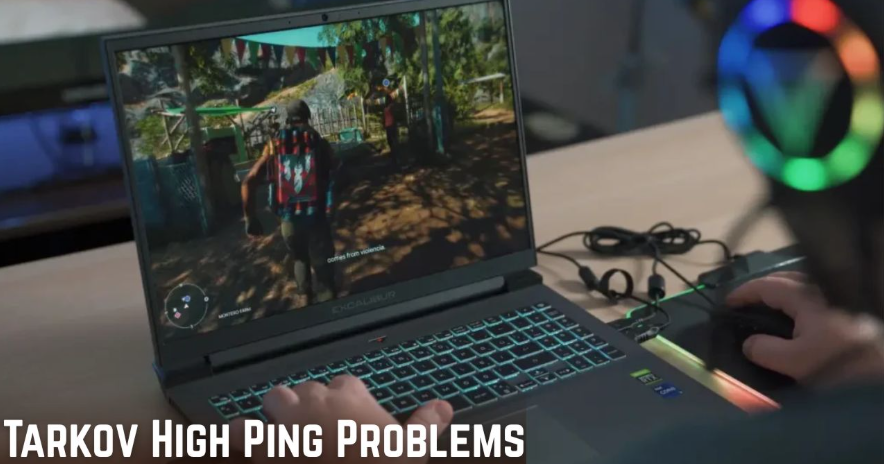
Escape from Tarkov is one of those games where every millisecond counts. Whether you are sneaking through a dark hallway, waiting to ambush an enemy, or rushing for an extraction, having a stable internet connection is essential. Yet, many players constantly complain about Tarkov high ping, which causes stuttering, desync, and frustrating delays that can ruin an otherwise great gaming session. The good news is that you can identify, understand, and even fix most of these issues by running a Tarkov ping test.
This guide takes a deep dive into why high ping happens in Tarkov, how a ping test works, and what you can do to make your gaming experience smoother. By the end, you will know not only how to diagnose the problem but also how to take steps toward lowering your ping for more competitive and enjoyable matches.
Understanding Ping in Escape from Tarkov
Ping refers to the time it takes for data to travel from your device to the game server and back. It is measured in milliseconds, and the lower the number, the faster the connection. In fast-paced multiplayer shooters like Tarkov, anything above 100 ms can lead to noticeable delays between your actions and what happens in the game.
When you are experiencing Tarkov high ping, you might notice situations where you shoot at an enemy but your shots don’t register right away, or you might get killed by someone who seemed to appear out of nowhere. This delay is not necessarily poor gameplay but rather the result of your network struggling to keep up with the server. A Tarkov ping test helps reveal whether your internet connection or the game servers are at fault.
Why Tarkov High Ping Happens
There are several reasons why high ping is such a common issue among Tarkov players. Server location is one of the biggest factors. If you are playing on a server that is geographically far from you, data has to travel a longer distance, which naturally increases ping.
Another cause is local internet congestion. If multiple devices in your home are streaming, downloading, or gaming at the same time, your connection may slow down. Internet service provider routing issues can also lead to poor performance, as your data might be taking a less efficient path to reach the game server. Running a Tarkov ping test allows you to pinpoint whether the issue lies in your own setup, your ISP, or the server itself.
How a Tarkov Ping Test Works
A ping test measures the time it takes for data to travel to the server and return. In Tarkov, you can run a ping test by using in-game settings, third-party tools, or command line utilities like the ping command on your PC. Each of these methods provides insight into how your connection is performing.
In-game tools are the easiest option, as they show your latency in real time during a match. However, third-party applications often provide more detailed data, such as packet loss, jitter, and routing details. These metrics matter because they help identify if the problem is simply high ping or if it is being compounded by unstable connections. A thorough Tarkov ping test gives you the full picture of why your connection might be struggling.
Symptoms of Tarkov High Ping
Recognizing the symptoms of high ping is just as important as fixing it. The most common signs include delayed shooting, rubber banding, and enemies teleporting across the map. You may also notice extraction countdowns lagging or actions like reloading taking longer than expected.
These problems make the game feel unfair, especially when you lose fights that you should have won. By confirming your latency with a Tarkov ping test, you can separate actual gameplay issues from connection-related problems. This not only saves frustration but also gives you a clear plan for improvement.
Steps to Run a Tarkov Ping Test
If you are serious about reducing Tarkov high ping, running a proper ping test should be your first step. The simplest way is to check the in-game server selection menu. Tarkov allows you to choose which servers to connect to, and you can see the average ping for each option.
Alternatively, you can use Windows Command Prompt to ping Tarkov servers directly. By entering the server’s IP address, you can measure your exact latency. Third-party network diagnostic tools take this even further by providing visual graphs and detailed breakdowns. The key is to run these tests during actual gaming hours, as ping can vary depending on internet traffic in your area.
Fixing Tarkov High Ping Through Server Selection
One of the easiest fixes for high ping is choosing the right server. If you run a Tarkov ping test and notice that certain servers consistently give you better results, always select those before starting a raid. Avoid auto-selecting servers, as this often connects you to less optimal locations.
Choosing servers closer to your geographical region reduces travel distance for data packets, lowering ping significantly. While this may limit your matchmaking pool slightly, the trade-off is worth it if it means more stable gameplay without frustrating delays.
Optimizing Your Internet for Better Performance
Even the most accurate Tarkov ping test cannot fix issues caused by a poor local setup. To improve your internet performance, start by using a wired Ethernet connection instead of Wi-Fi. This eliminates interference and provides more stable speeds.
You should also ensure that background applications are not consuming bandwidth. Streaming videos, downloading updates, or other devices on your network can eat into your available speed. Restarting your router, upgrading your internet plan, or even contacting your ISP for better routing can also have a major impact. When combined with a proper ping test, these adjustments help tackle Tarkov high ping effectively.
The Role of VPNs in Reducing High Ping
Surprisingly, a VPN can sometimes reduce ping in Tarkov. While most people assume VPNs only slow things down, they can also provide more efficient routing between your device and the server. If your ISP is taking a long, inefficient path to the game server, a VPN may bypass that problem.
However, this is not a guaranteed solution. Running a Tarkov ping test with and without a VPN can help you see if it actually improves performance. If it works, stick with it. If not, it is best to avoid adding unnecessary complexity to your connection.
Long-Term Solutions for Consistent Gameplay
Improving your connection is not just about quick fixes. Long-term solutions such as upgrading your hardware, investing in a gaming router, or moving closer to reliable server regions can make a permanent difference.
Regularly monitoring your connection with a Tarkov ping test helps ensure that these changes are working. Over time, you will develop a clearer understanding of what impacts your ping the most and how to minimize those issues. For serious Tarkov players, this ongoing effort can mean the difference between frustrating losses and consistent victories.
Final Thoughts on Tackling Ping in Tarkov
Tarkov is a game that rewards precision, patience, and quick reactions. Unfortunately, Tarkov high ping can take away from that experience, making even the most skilled players feel powerless. Running a Tarkov ping test is one of the smartest steps you can take to regain control over your connection.
By understanding what causes high ping, learning how to test it, and applying practical fixes, you can drastically improve your gameplay. Stable performance not only makes Tarkov more enjoyable but also gives you the competitive edge you need in such a punishing environment. With the right adjustments, you will be able to focus less on lag and more on surviving each raid.


Dubai Crypto Traders in 2026: Why Anonymous Exchanges Are Gaining Popularity in the UAE

Software Keepho5ll: What It Is and Why It Matters

SerumCU: What It Is, How It Works, and Why It Matters

Miki Yim: A Closer Look at Her Journey

Meredith Schwarz: A Closer Look at Her Work

Laura Deibel: Uncovering Her Story and Impact

Kate Connelly: Exploring Her Life and Work

eTraderAI: Exploring the Future of Intelligent Trading

Vivian Ridge: A Quiet Life Beyond Public Attention

Solica Casuto: A Quiet Chapter in Hollywood History

FilmyzillaHD Explained: Movies, Risks, Legality, and Facts

dikganes Explained: Meaning, Usage, and Digital Significance

Epirnet: Transforming Digital Connectivity Today

Jememintre: Meaning, Uses, and Real-World Relevance

Thithub: A Deep Dive Into the Platform’s Real Value

Freemasx – A Complete Guide to Understanding the Platform

Xfrencies: Meaning, Usage, and Digital Relevance

Dedicated Server Hosting Provider: What to Look For

Navigating the Future of High-Performance Streaming: The Search for a New Standard

taktubr Explained: Meaning, Usage, and Digital Significance
Dubai Crypto Traders in 2026: Why Anonymous Exchanges Are Gaining Popularity in the UAE
Software Keepho5ll: What It Is and Why It Matters
SerumCU: What It Is, How It Works, and Why It Matters

How to Use a Temporary Number for WhatsApp

Sepatuindonesia.com | Best Online Store in Indonesia

The Best Methods to Download TikTok Videos Using SnapTik
-
 Tech1 year ago
How to Use a Temporary Number for WhatsApp
-
 Business2 years ago
Sepatuindonesia.com | Best Online Store in Indonesia
-
 Social Media2 years ago
The Best Methods to Download TikTok Videos Using SnapTik
-

 Technology2 years ago
Top High Paying Affiliate Programs
-

 Tech12 months ago
Understanding thejavasea.me Leaks Aio-TLP: A Comprehensive Guide
-

 FOOD1 year ago
How to Identify Pure Desi Ghee? Ultimate Guidelines for Purchasing Authentic Ghee Online
-
 Instagram3 years ago
Free Instagram Auto Follower Without Login
-
 Instagram3 years ago
Free Instagram Follower Without Login